VFX LOG
VFX Log is an on-set iPhone app for creating clear, organised VFX shot logs.
VFX Log works entirely offline, with no Wi-Fi or mobile data required, ideal for use anywhere on set.
BUILT FOR ON-SET VFX
Organise your work into productions and shoot days. Record shot information while it is available on set and create a clear handover for production and post-production.
READ CAMERA INFORMATION
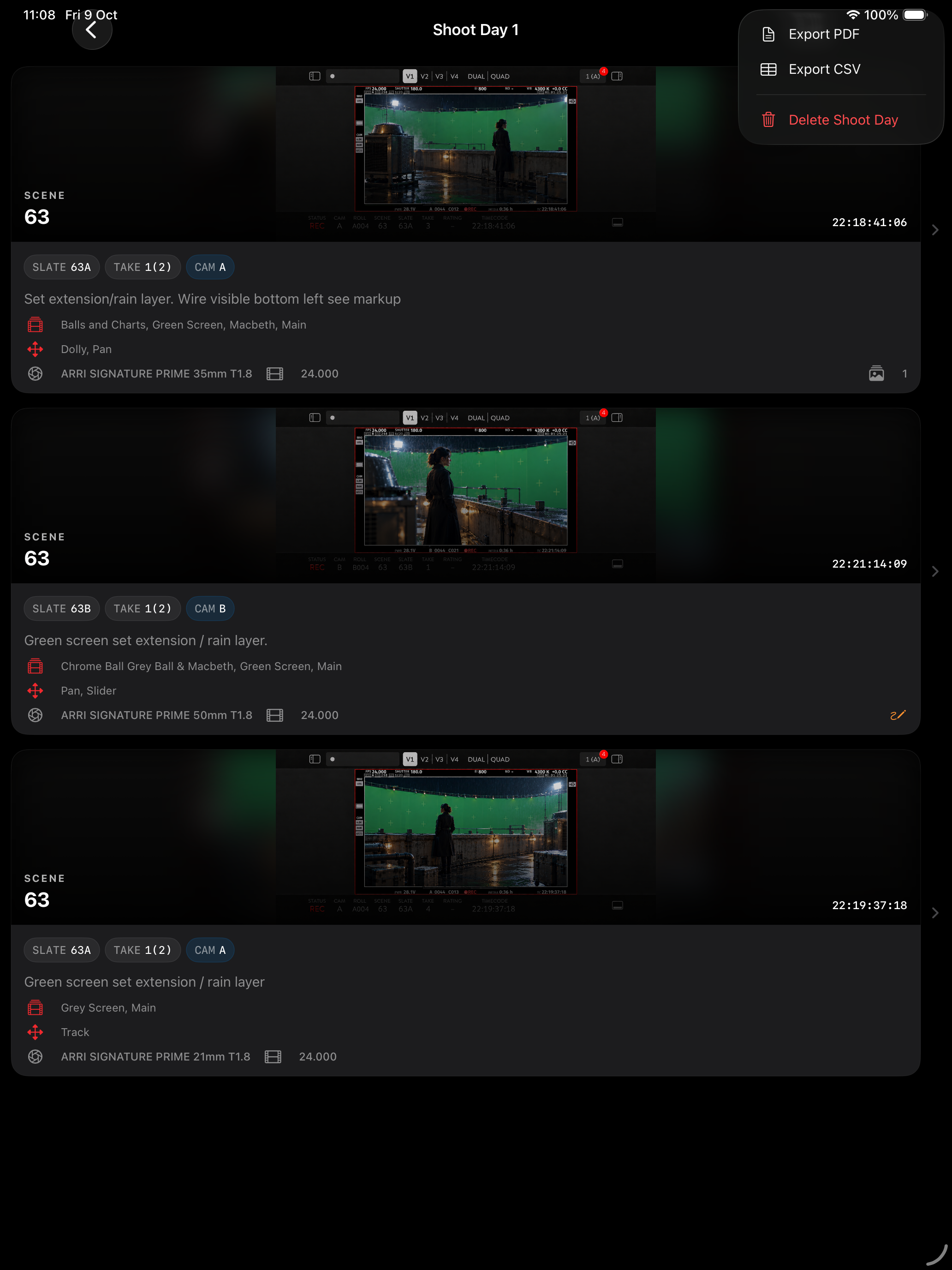
VFX Log reads the available metadata displayed in video-assist images and uses it to help complete your shot record. You can review and edit the information before saving.
WORK COMPLETELY OFFLINE
No Wi-Fi or mobile data is required. VFX Log can be used on stages, remote locations and restricted sets without relying on an internet connection.
CREATE DETAILED SHOT RECORDS
Record scene, slate, take, camera, timecode, camera body, roll, clip, lens, frame rate, resolution, filters, colour temperature and other useful production details.
ADD NOTES AND VISUAL REFERENCES
Attach a primary video-assist still, add further reference images and use visual markup to identify areas requiring VFX work.
RECORD PLATES AND MOVEMENT
Keep track of plates, camera movement, rig movement and other practical information that may be useful during post-production.
EXPORT VFX SHOOT REPORTS
Export an organised VFX shoot report as a PDF for production and post-production teams. Shot data can also be exported as a CSV for use in spreadsheets and other tracking workflows.
BACK UP YOUR PRODUCTIONS
Create portable production backups containing your shoot days, shot records, notes, stills and markups.
Add a video-assist still and VFX Log reads the available camera metadata from the image to help auto-fill key shot fields, including scene, slate, take, camera and timecode. Add notes, reference stills and markups, then export a polished VFX shoot report as a PDF for your production or post-production team.